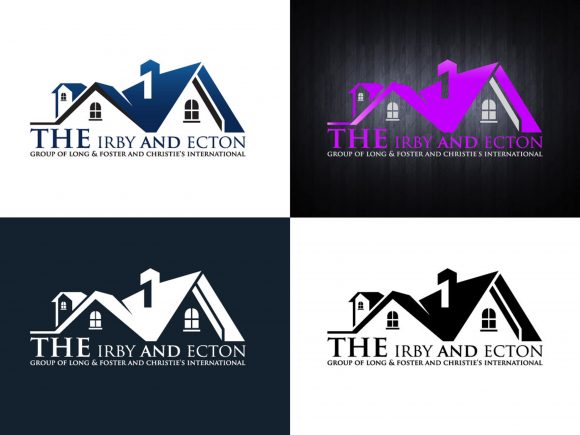
Integrating Real Estate Logo Illustration Vectors into Professional Branding Workflows
Establishing a distinct visual identity in the property market requires more than just selecting an attractive image; it demands technical precision and strategic flexibility. A Real Estate Logo Illustration Vector serves as the foundational asset for brokers, agencies, and property developers who need to maintain brand consistency across diverse mediums. Unlike raster images that lose quality when scaled, vector graphics provide the mathematical precision necessary for everything from business cards to large-format yard signs. Understanding how to leverage these assets within a professional workflow ensures that your branding remains sharp, editable, and legally compliant throughout the lifecycle of your business.
The Technical Foundation: Why SVG and EPS Matter
Before integrating any graphic asset into a marketing strategy, professionals must understand the file specifications that dictate usability. The primary advantage of acquiring a full vector package lies in the inclusion of both SVG and EPS formats. These are not merely alternative file types; they serve distinct functions in a production environment. EPS (Encapsulated PostScript) is the industry standard for print production. When sending files to commercial printers for brochures, vehicle wraps, or office signage, the EPS format ensures that curves remain smooth and colors separate correctly for CMYK output. It preserves the layer structure created in Adobe Illustrator, allowing print vendors to make minor adjustments without compromising the design integrity.
Conversely, SVG (Scalable Vector Graphics) is optimized for digital ecosystems. As web technologies evolve, SVG has become the preferred format for responsive websites because it scales infinitely without increasing file size. For real estate agents embedding logos on listing pages, email signatures, or social media profiles, SVG ensures crisp rendering on high-density retina displays. Having both formats included in your download means you are prepared for immediate deployment across analog and digital channels without needing to request additional exports from a designer later.
High Resolution and Scalability in Practice
The term "high resolution" takes on a different meaning in vector workflows. While raster images are defined by pixels per inch, vectors are defined by paths and anchor points. This distinction is critical for real estate professionals who frequently repurpose assets. A logo designed for a LinkedIn profile picture might eventually need to be printed on a 4x8 foot construction site banner. With a Real Estate Logo Illustration Vector, this transition requires zero redesign work. You simply resize the artboard. This scalability eliminates the common bottleneck of having to recreate low-quality assets at higher resolutions, saving both time and budget during campaign expansions.
Customization: Editing Text and Visual Elements
A static logo rarely fits the dynamic needs of a growing real estate business. The specification "Ready to Change Text" indicates that the typography has been kept as live text or easily editable outlines rather than flattened imagery. This feature is essential for agencies that operate under umbrella brands or have multiple agents requiring personalized branding. Using Adobe Illustrator or compatible open-source alternatives like Inkscape, users can modify font families, adjust kerning, and update taglines in seconds. This capability transforms a single purchase into a flexible template system.
Beyond text, the ability to change colors of each shape independently allows for seasonal campaigns or neighborhood-specific branding. For example, an agency might use a navy blue and gold palette for luxury listings but switch to green and white for eco-friendly developments. Because the vector file separates every element into distinct layers, these color swaps are non-destructive. You can experiment with various palettes to test market response without risking the original master file. This level of control supports agile marketing strategies where visual identity must adapt quickly to new inventory or shifting demographics.
Combining Elements for Unique Illustrations
One often overlooked aspect of comprehensive vector packs is the modularity of the design elements. Included files often contain supplementary icons—keys, rooftops, skylines, or abstract geometric shapes—that can be combined to create custom illustrations. Instead of relying solely on the primary logo mark, marketers can assemble these components to create unique headers for newsletters, watermarks for listing photos, or icons for website navigation. This modular approach maximizes the return on investment by providing a library of cohesive visual assets that share the same stylistic DNA as the main logo.
Workflow Integration: From Download to Deployment
Acquiring the asset is only the first step; organizing and implementing it efficiently determines long-term success. Upon receiving the zip file containing the EPS and Vector files, immediate organization is recommended. Create a dedicated brand asset folder structured by file type and usage context. Separate print-ready EPS files from web-optimized SVGs to prevent accidental misuse. Maintaining a "Master" copy that is never altered ensures you always have a pristine source file to revert to if experimental edits go wrong.
Software Compatibility and Accessibility
While Adobe Illustrator is the industry standard for editing these files, modern workflows often involve cross-platform collaboration. The included vectors are generally compatible with Affinity Designer, CorelDRAW, and free tools like Inkscape. This compatibility is vital for teams where not every member has access to expensive Creative Cloud subscriptions. Before beginning a project, verify that your chosen software supports the specific EPS version provided. Most modern vectors are saved in Illustrator 10+ formats to ensure backward compatibility, but testing the file opening process immediately upon receipt prevents delays during active projects.
- Pre-Project Phase: Audit the vector file to ensure all fonts are either outlined or included. If live text is used, install the required typefaces to avoid substitution errors.
- Active Design Phase: Use global swatches for colors. This allows you to update the brand color scheme across the entire illustration by changing a single swatch definition rather than selecting individual shapes.
- Post-Production Phase: Export final deliverables in appropriate formats. Never send the raw editable EPS to a client or printer unless requested; instead, provide outlined PDFs for print and optimized SVGs/PNGs for digital use.
Quality Control and Long-Term Asset Management
Maintaining brand integrity requires rigorous quality control. When editing a Real Estate Logo Illustration Vector, pay close attention to stroke widths and spacing. Scaling a vector changes the dimensions of the shapes, but it does not always automatically adjust stroke weights proportionally. A line that looks substantial on a business card may disappear when scaled down for a favicon or appear clunky when blown up for a billboard. Always review the design at actual print size and maximum digital display size before finalizing. Utilizing outline mode (Ctrl+Y / Cmd+Y) helps identify overlapping paths or stray anchor points that could cause rendering issues in certain browsers or RIP software.
Long-term use also involves versioning. As your real estate business evolves, your logo may undergo subtle refinements. Keep a changelog or naming convention that reflects these updates (e.g., "AgencyName_Logo_v2_Outlined.eps"). This practice prevents confusion when working with external vendors who might have older versions on file. Furthermore, backing up the original zip file to cloud storage ensures that you can recover the unmodified assets even years later. Digital assets are business infrastructure; treating them with the same organizational rigor as client contracts protects your brand equity over time.
Efficiency Through Standardization
The ultimate goal of using professional vector assets is operational efficiency. By starting with a high-quality, fully editable Real Estate Logo Illustration Vector, you eliminate the friction associated with custom design from scratch while avoiding the limitations of generic clip art. The ready-to-change text and color features allow for rapid iteration, enabling small teams to produce enterprise-level branding materials in-house. Whether you are a solo agent creating flyers for an open house or a marketing director overseeing a rebrand for a brokerage, the technical specifications of full vector SVG/EPS files provide the reliability needed to execute consistently. Integrating these assets thoughtfully into your workflow transforms a simple graphic file into a scalable engine for business growth.